Reports
Content reports and moderation
Give members a quiet way to flag a problem, and give your Space reviewers the rule, context and tools to make a clear decision about reported posts.
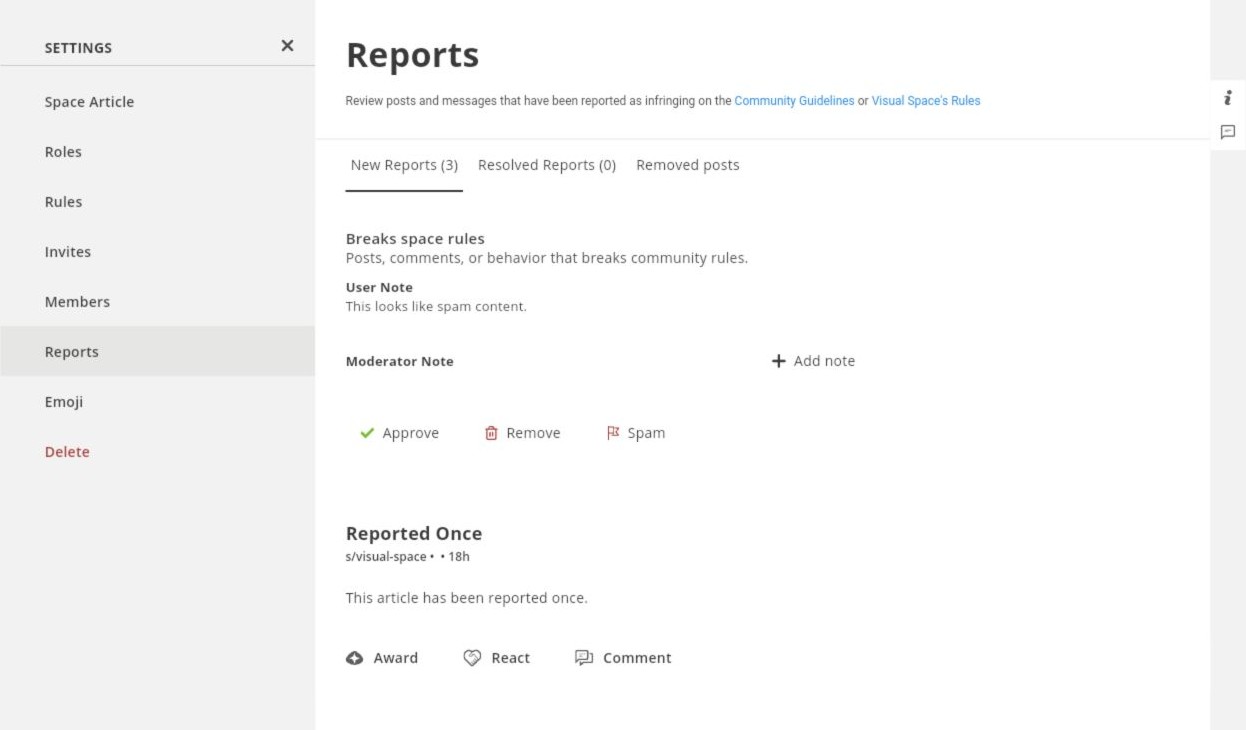
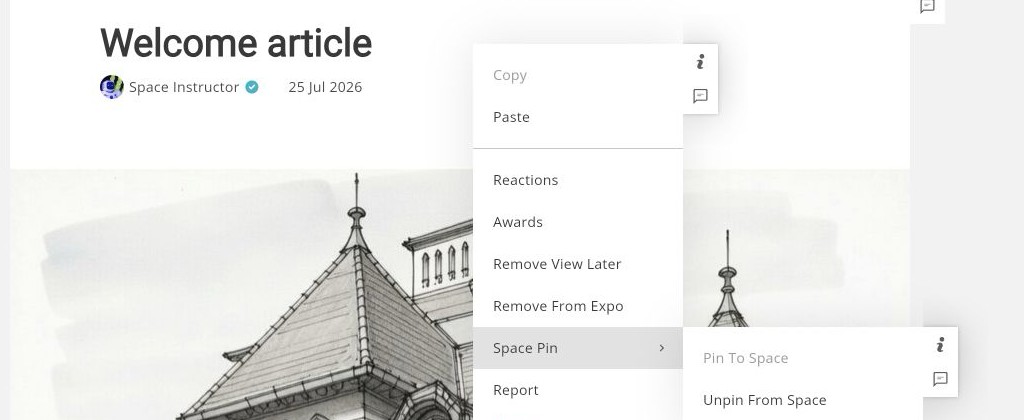
Report posts and articles
Report from a post or an available article menu. Choose a rule and add a factual note when context matters. Ordinary readers see no public report marker; the concern goes to the authorized review experience.
Platform and Space rules
Platform rules and your Space’s local expectations belong in the same reporting flow. The form helps members identify what needs attention before they submit.
-
Applicable rules
Read a platform rule or follow the Space rules link for the community’s own context.
-
Selected concern
Select a platform rule or the general “Breaks [space name] rules” option.
-
Member note
Use the optional note to point out the passage or local expectation the reviewer should assess.
Review reports beside the content
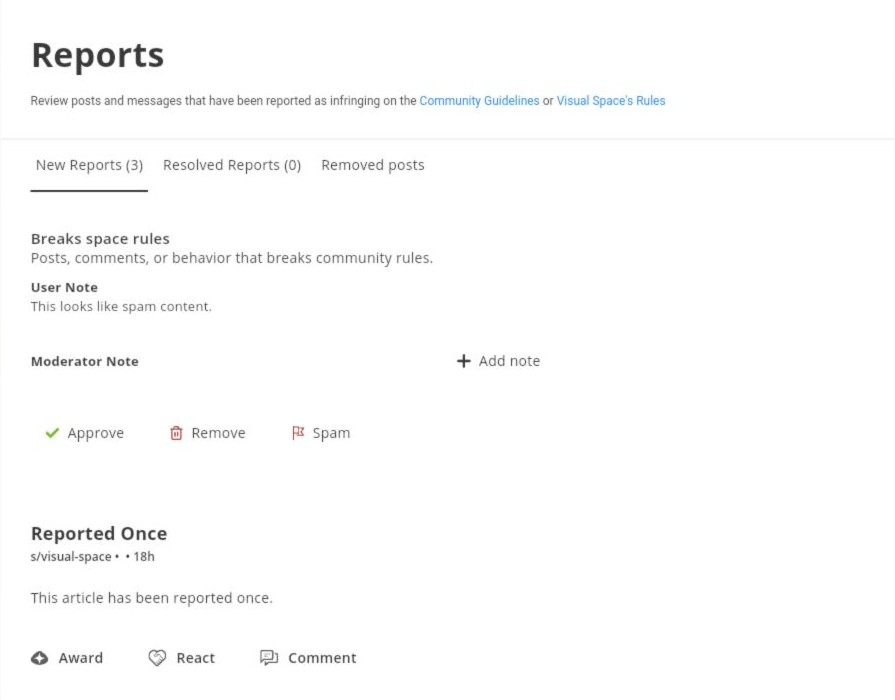
The selected rule, member note and reported post stay together. Space owners and members with Manage Content permission can review in their Space’s Reports area, or inspect pending concerns directly beside a post in the feed.
Decisions and moderator notes
Several reports about one post remain separate cases with their own context. Review each one, add your reasoning, then choose Approve, Remove or Spam. New Reports tracks the remaining work; Resolved Reports preserves the saved decision and moderator note.
Restore removed posts
Remove and Spam apply a reversible moderation removal. The separate Removed posts tab lets eligible reviewers restore a post according to their current permissions and the authority of its removal, while the report’s saved decision remains intact. Author deletion stays separate.
Reports manual
Read the guides and step-by-step tutorials for more detail.
Browse the full manual →