InventorySOON
Stock levels, locations and movements
Inventory is a planned app for understanding stock, locations, movements and replenishment needs. Explore its intended direction, alongside the shared tools you can already use to organize the work.

Stock records
Stock tracking is at the heart of the planned Inventory app. The aim is to make the available stock understandable, so everyday decisions can begin with a clear view of the items you are managing.
Stock locations
Locations are part of the planned scope alongside stock. Knowing where items belong would help a team interpret the stock picture and focus its next check on the right place. The forklift artwork illustrates that direction.
Stock movements
Following inventory movements is a planned focus. The intended benefit is a useful sequence to review, giving each stock count the context of the changes around it.
-
Stock levels
Understand the items and locations involved.
-
Movement history
See the change in the context of the stock being handled.
-
Stock review
Use that context when checking what is available next.
Replenishment tasks
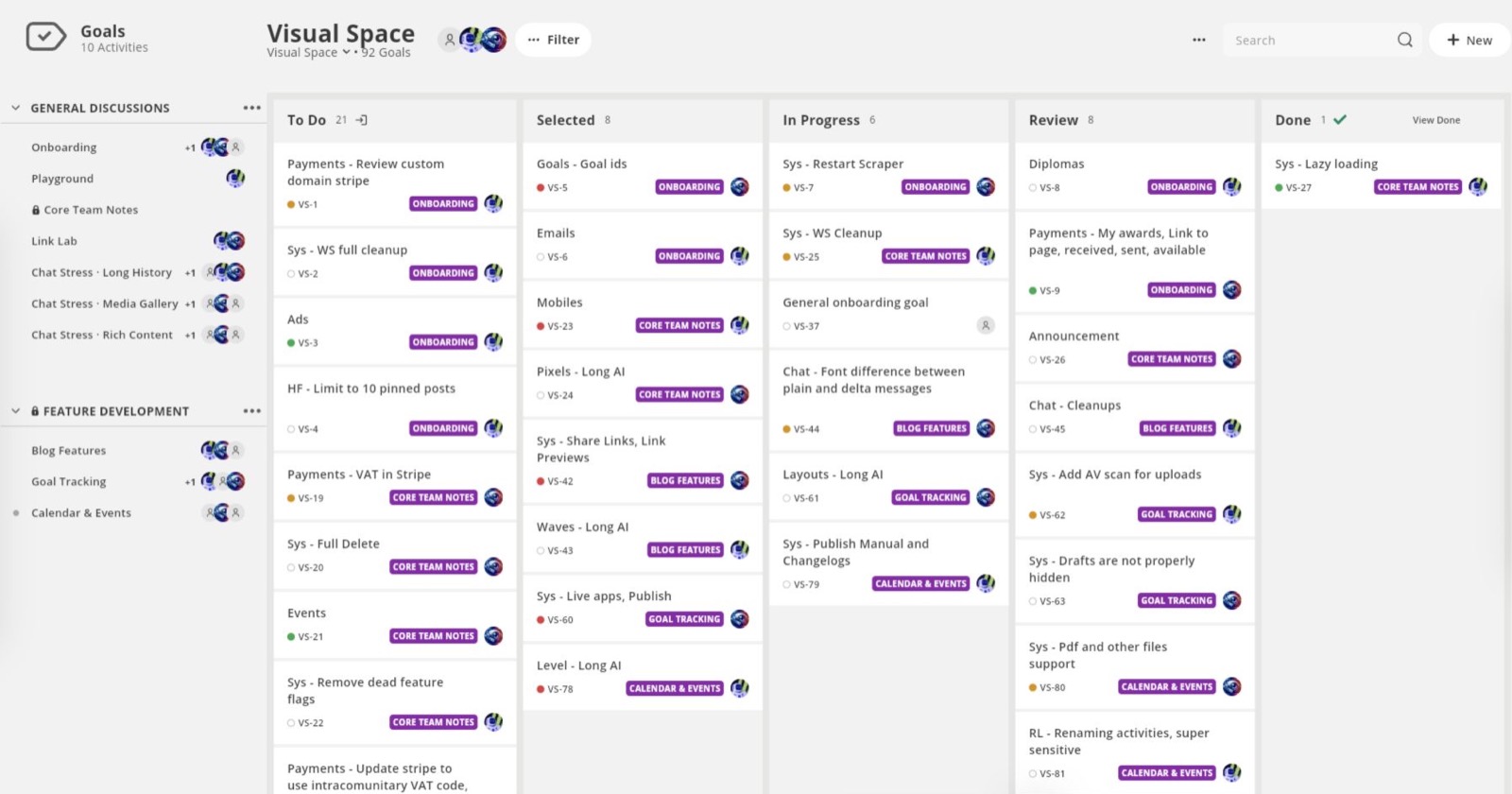
Spotting replenishment needs is part of Inventory’s planned direction. For follow-up work today, the existing Goals feature offers a shared board, workflow columns and assignees. The pictured board shows this separate Goals feature.
Supporting documents
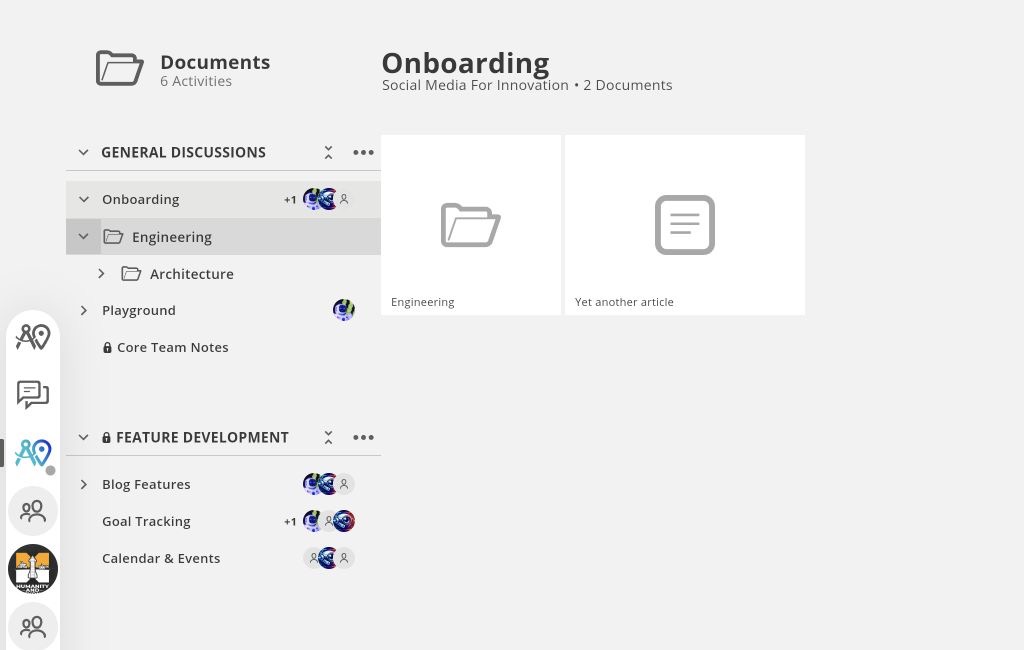
Stock questions often need a specification, an explanation or a team decision. Documents already organizes shared files and articles by activity, and Activity Chat lets people discuss and share that material. These current tools provide useful context while Inventory is being planned; this image shows the Documents library.
Related manual articles
A dedicated Inventory manual is not published yet. These guides cover app access, shared documents and related workflows.
Browse the full manual →