SalesSOON
Sales opportunities and pipeline tracking
Sales is planned for a visible opportunity pipeline, lead qualification, and outcome tracking. Explore the direction, and use Goals and Chat today to organize the work around it.

Sales opportunities
The planned Sales workspace follows opportunities from qualification to outcome in a visible pipeline. The aim is a shared view of where each conversation stands, so a promising lead has a place in the plan rather than disappearing into scattered notes.
Pipeline review
Lead qualification and prioritization are part of the planned scope. The intended workflow makes room to understand an opportunity before deciding what deserves the next conversation.
-
Qualification
Understand whether an opportunity belongs in the pipeline.
-
Priority
Choose which leads deserve attention next.
-
Next step
Follow the opportunity toward an outcome.
Opportunity outcomes
Sales is intended to track outcomes as well as opportunities. The goal is to make the result part of the same working picture, giving the team a clearer basis for its next discussion. These are planned capabilities; Sales is not available to purchase yet.
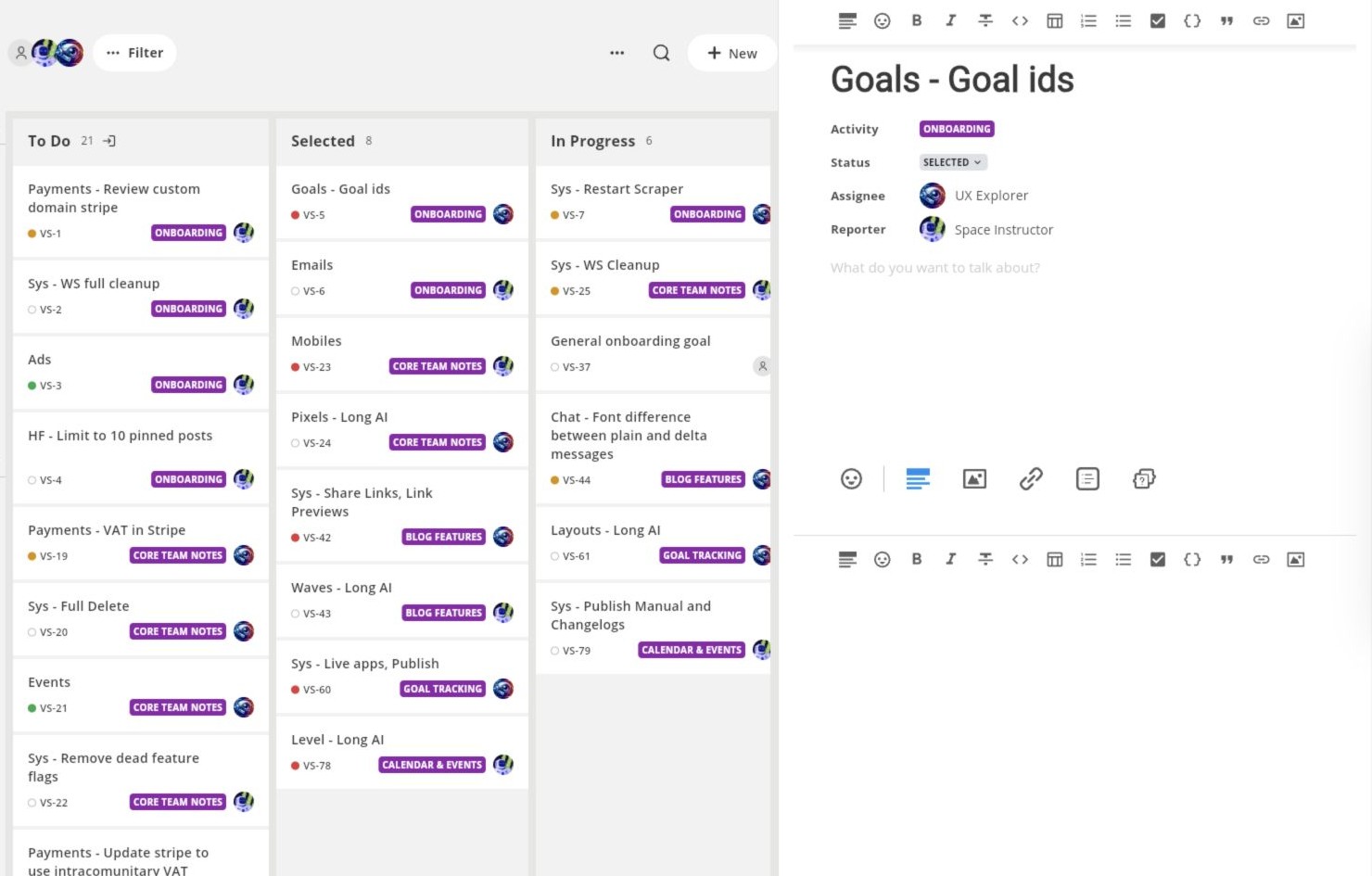
Follow-up assignments
Goals is available now as a separate planning tool. Create a follow-up goal, assign responsibility, and keep its brief beside the board. This is the existing Goals workspace shown here; the dedicated Sales pipeline remains planned.
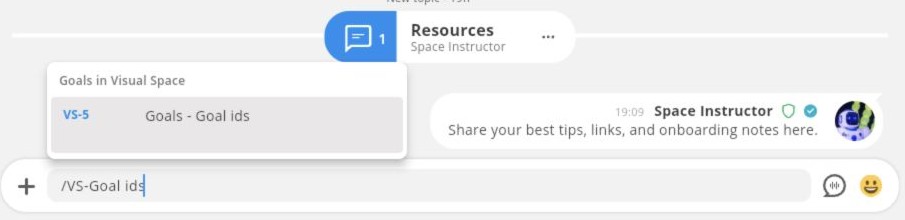
Team discussion
Use existing Activity Chat to discuss next steps, share files, and organize the conversation into topics. Goals references can point teammates to the work you mean. Chat is shown here as a companion tool you can use today; automatic connections between Sales, CRM, Accounting, and Inventory are not yet defined.
Related manual articles
A dedicated Sales manual is not published yet. These guides cover app access, shared documents and related workflows.
Browse the full manual →